











































Home > Electronics > MX USB PG-ISP Programmer/Setup FOR MXO-RACING RX42 RX52

MX USB PG-ISP Programmer/Setup FOR MXO-RACING RX42 RX52

SKU: MX USB PG-ISP
0.0 (0)
10 Sold
$12.90 $0.00
MX USB PG-ISP Programmer/Setup FOR MXO-RACING RX42 RX52
Received successfully
Coupon Code
CONTINUE SHOPPING
    Please select the information you wantX
Quantity:
0 in stock
  • MX USB PG-ISP Programmer/Setup FOR MXO-RACING RX42 RX52
  • MX USB PG-ISP Programmer/Setup FOR MXO-RACING RX42 RX52
  • MX USB PG-ISP Programmer/Setup FOR MXO-RACING RX42 RX52
  • MX USB PG-ISP Programmer/Setup FOR MXO-RACING RX42 RX52
  • MX USB PG-ISP Programmer/Setup FOR MXO-RACING RX42 RX52
  • MX USB PG-ISP Programmer/Setup FOR MXO-RACING RX42 RX52
  • MX USB PG-ISP Programmer/Setup FOR MXO-RACING RX42 RX52
  • MX USB PG-ISP Programmer/Setup FOR MXO-RACING RX42 RX52
  • MX USB PG-ISP Programmer/Setup FOR MXO-RACING RX42 RX52
  • MX USB PG-ISP Programmer/Setup FOR MXO-RACING RX42 RX52
  • MX USB PG-ISP Programmer/Setup FOR MXO-RACING RX42 RX52
  • MX USB PG-ISP Programmer/Setup FOR MXO-RACING RX42 RX52
  • MX USB PG-ISP Programmer/Setup FOR MXO-RACING RX42 RX52
  • MX USB PG-ISP Programmer/Setup FOR MXO-RACING RX42 RX52
1/1
  • MX USB PG-ISP Programmer/Setup FOR MXO-RACING RX42 RX52
  • MX USB PG-ISP Programmer/Setup FOR MXO-RACING RX42 RX52
  • MX USB PG-ISP Programmer/Setup FOR MXO-RACING RX42 RX52
  • MX USB PG-ISP Programmer/Setup FOR MXO-RACING RX42 RX52
  • MX USB PG-ISP Programmer/Setup FOR MXO-RACING RX42 RX52
  • MX USB PG-ISP Programmer/Setup FOR MXO-RACING RX42 RX52
  • MX USB PG-ISP Programmer/Setup FOR MXO-RACING RX42 RX52
Frequently Bought Together
more
Frequently Bought Together
  • Description
MXUSBPG-ISP Manual
 Thanks for using MXO-RACING products, please read this document carefully before using!
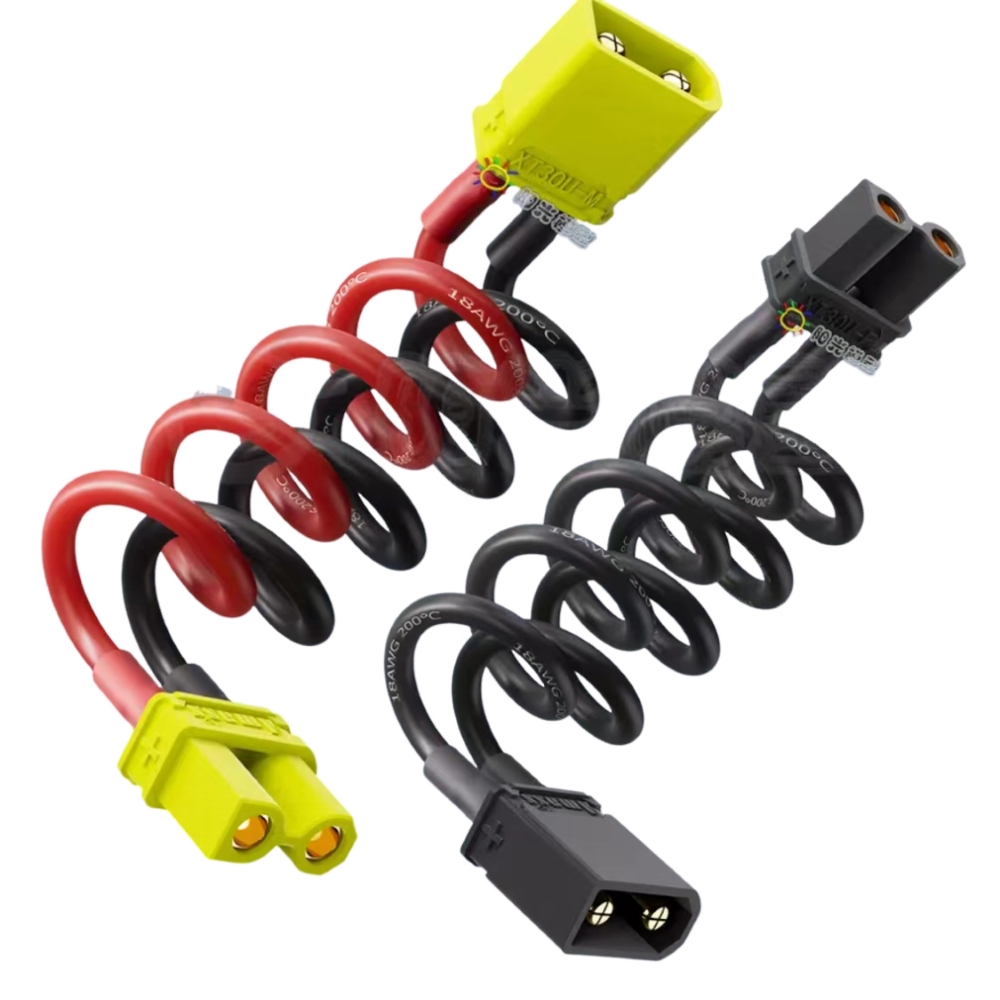
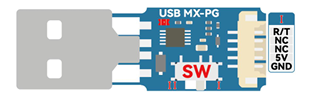
 MXUSBPG-ISP is a programmer/setup cable for MXO-RACIMG products, it can also be used on
 MINI-Z products.
 Please download and install the CrossOver-RX Tool GUI software before using this product, then
 the MX USB PG-ISP driver will be installed automatically. Then set the switch on the MX USB PG-ISP
 to the I position as shown below:


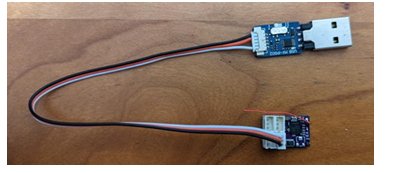
When MX USB PG-ISP is used to connect MXO-RACIMG products, please use the following

 connection method:

Note: The transmitter must be turned off before the MX USB PG-ISP is used to connect to the RX
 product of MXO-RACIMG, otherwise once the RX receives the signal from the transmitter, the
 GUI will not be able to read the RX information. The transmitter can be turned on after the
 GUI has read the RX information

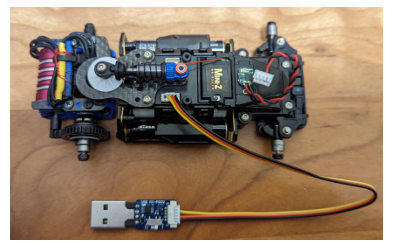
 When MX USB PG-ISP is used to connect to MR-03EVO/MA-030EVO/MR-04EVO, please use
 the following connection method

 Note: Please install the CrossOver-RX Tool GUI software first, and then select the correct COM port
 on Kyosho’s ICS manager software

CrossOver-RX Tool GUI download link: update.crossover-rx.com/mxo.zi

CUSTOMER REVIEWS

0.0 0 Reviews
Write a review
$0.00 $0.00
Please choose options.Back to top
Close
$0.00 $0.00
Message Us