RXC52-SG Receiver Overview
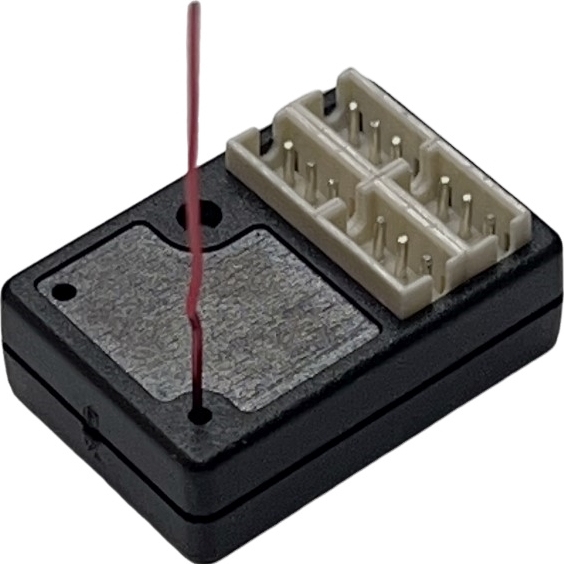
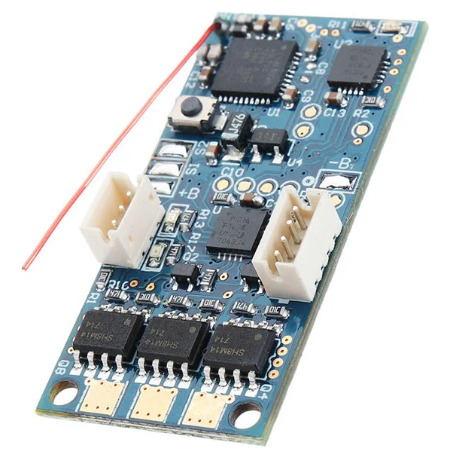
The RXC52-SG is a compact, antenna-less, array-type micro receiver integrated with a built-in gyro.
It is compatible with the Futaba SFHSS protocol and is specifically designed for 1:24 / 1:28 scale models or MINIZ interface systems.
✅ Compatible Transmitters
📐 Product Specifications
-
Size: 19.6 × 12.0 × 7.0 mm
-
Weight: 1.35 g
-
Operating Voltage: 3.3 ~ 8.5V
-
Protocol: Compatible with Futaba SFHSS
-
Parallel High-Speed Output
-
Adaptive Output Speed:
-
5.5ms for DX4S
-
8.25ms for DX5C
-
Built-in Mul_Gyro (Note 1)
-
Supports Online Firmware Upgrade
Note 1: The gyro function is only available in the SG version.
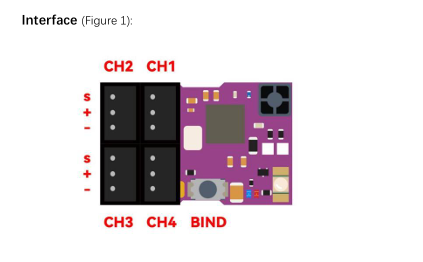
🔵 LED Indicators
Blue LED (Receiver Status)
-
Fast Flashing: Binding mode
-
Slow Flashing: Awaiting transmitter signal
-
Solid: Bound and operating normally
Yellow LED (Gyro Status)
-
Off: Gyro disabled or not present
-
Solid - Dim: Gyro active in NOR (normal) direction
-
Solid - Bright: Gyro active in REV (reverse) direction
Red LED (Transponder Status)
🔗 Binding Procedure
-
Power on the receiver.
-
Hold the BIND button until the blue LED flashes rapidly.
-
Power on the transmitter.
-
When the blue LED turns solid, binding is complete and the signal is received.
⏱️ 3.4ms and 6.8ms Mode Switching
The RXC52-SG supports both 3.4ms and 6.8ms output modes, depending on the transmitter settings:
With Futaba T7PX or T10PX
With Other Futaba Transmitters
🎯 Gyro Sensitivity & Direction Setup (SG version only)
Gyro parameters are controlled via CH3 of the transmitter:
-
CH3 < 1.4ms → Yellow LED bright → Gyro acts left, higher sensitivity with narrower pulse
-
CH3 > 1.6ms → Yellow LED dim → Gyro acts right, higher sensitivity with wider pulse
-
CH3 at midpoint → Gyro OFF, yellow LED off
🧭 Setting ST Channel End Points
When the gyro is active, ST output includes the gyro signal and ignores transmitter-defined end points.
To avoid servo damage, end points must be set on the receiver:
-
Set CH3 to midpoint to disable the gyro (yellow LED off).
-
Move ST channel left to the desired endpoint → Press BIND → Yellow LED flashes ~2 seconds, then off.
-
Move ST channel right to the desired endpoint → Press BIND → Yellow LED flashes ~2 seconds, then off.
-
End points are now stored based on the servo positions during steps 2 and 3.
If using a 2-channel transmitter, you must configure these settings via the GUI tool.
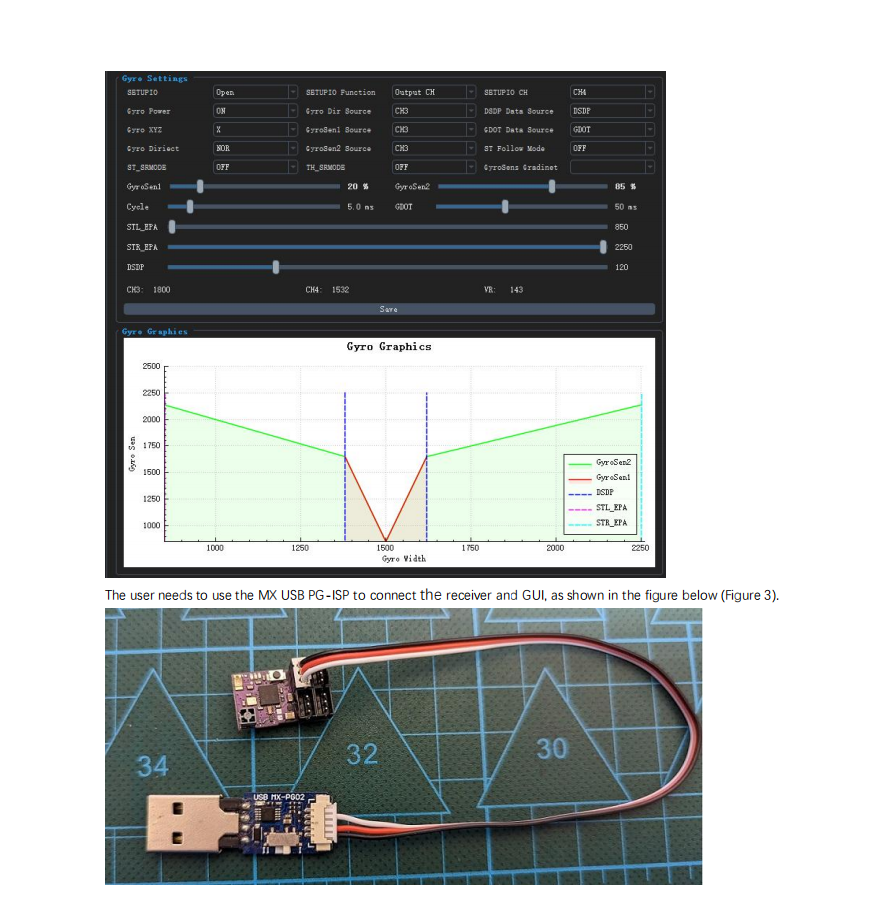
⚙️ Mul-Gyro Advanced Configuration
The built-in Mul-Gyro system offers up to 17 adjustable parameters to suit various performance needs.
Configuration requires:
-
GUI Tool (download link below)
-
MX USB PG-ISP to connect the receiver to your PC
-
See Figure 2 & 3 in the full manual for reference
🔄 Online Firmware Upgrade
Steps:
-
Power off your transmitter.
-
Use the MX USB PG-ISP to connect the receiver to your PC.
-
Open the GUI tool to upgrade firmware.
The receiver cannot connect to the GUI if the transmitter is powered on.
Download GUI Tool:
👉 https://store.mxo-rc.com/download-gui