MXO-RACING RXC52-A3&TP User Manual
Thank you for choosing MXO-RACING products!
Please read this manual carefully before use.
🔍 Product Overview
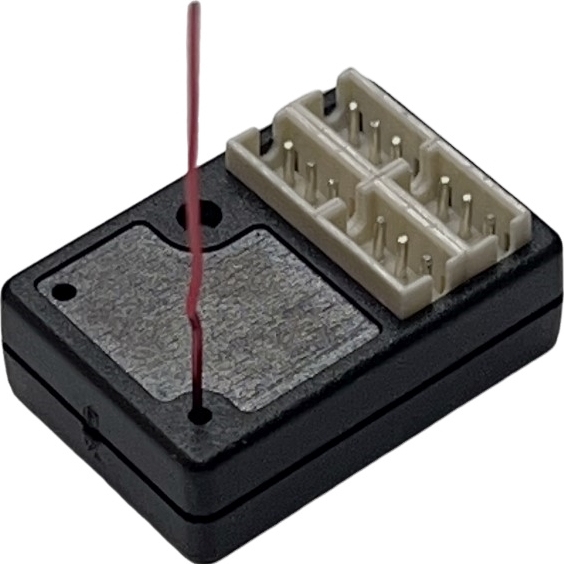
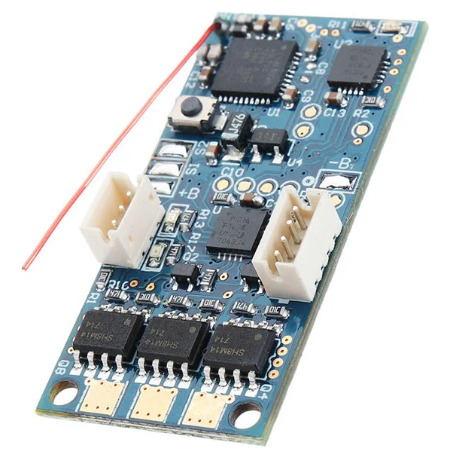
The RXC52-A3&TP is a compact, antennaless, high-speed surface receiver integrated with a built-in Transponder.
It is compatible with the FLYSKY AFHDS-3A protocol and is designed for 1:24 / 1:28 scale RC cars or MINIZ models.
Thanks to its small size and reliable performance, the RXC52-A3&TP is the ideal solution for hobbyists and RC enthusiasts using the FLYSKY NB4 transmitter in competitive or recreational mini RC car projects.
Compatibility: Works with NB4 / NB4+ / NB4 Pro / PL18 transmitters.
⚙️ Product Features
-
Dimensions: 19.6 × 12.0 × 7.0 mm
-
Weight: 1.35g
-
Operating Voltage: 3.3V ~ 8.5V
-
Protocol Compatibility: FLYSKY AFHDS-3A
-
Built-in Transponder with editable Personal ID number
-
ID Range: 1 ~ 16,777,215
-
Parallel high-speed output
-
Supports 2.63ms high-speed output
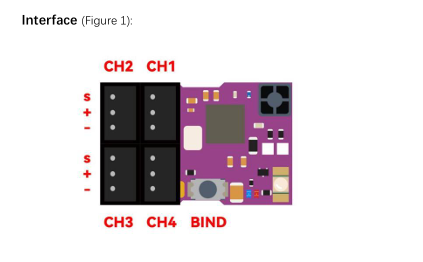
🔌 Interface & LED Indicators (See Figure 1)
🔵 Blue LED — Receiver Status
-
Fast Flashing: Receiver is connected
-
Slow Flashing: Receiver is waiting for transmitter signal
-
Solid: Receiver has successfully received the transmitter signal and is working normally
🔴 Red LED — Transponder Status
🔗 Binding Procedure (BIND Mode)
-
Hold the BIND switch
-
Power on the receiver while holding the switch
-
When the blue LED flashes rapidly, release the BIND switch — this indicates the receiver has entered BIND mode
-
Proceed with binding on your transmitter according to its standard binding process
⚠️ If binding fails consistently, please refer to the guide "How to Upgrade NB4 RX Firmware" and update the receiver firmware accordingly.
🆔 Editing the Transponder's Personal ID
The RXC52-A3&TP comes with a built-in transponder that supports custom Personal ID settings.
To modify the ID:
-
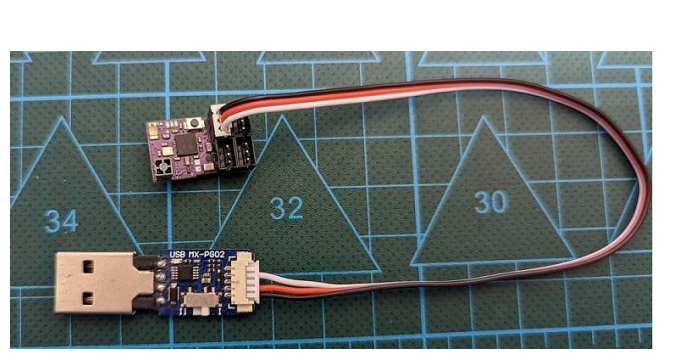
Use the MX USB PG-ISP programmer to connect the receiver to your computer
-
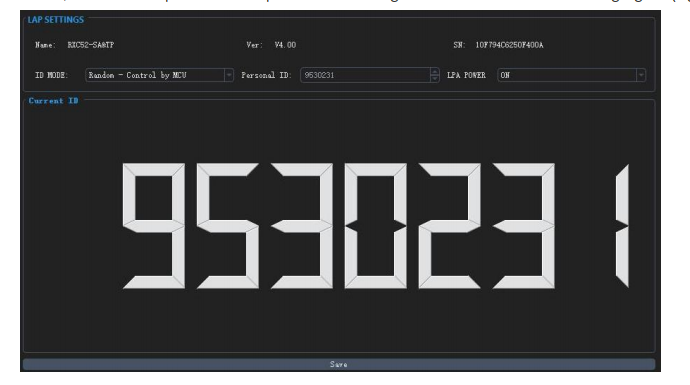
Launch the GUI software (Graphical User Interface)
-
Use the visual editor to assign a new Personal ID (See Figure 2)
Ensure proper connection as shown in Figure 3 before editing.
🖥️ GUI Software Download
📥 Download here: https://store.mxo-rc.com/download-gui